Executive Summary
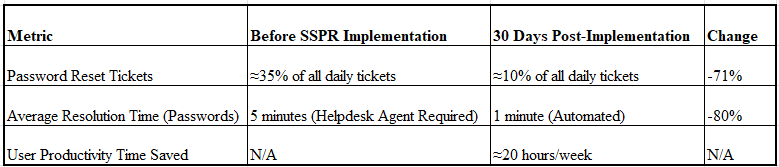
CloudTech implemented Self-Service Password Reset (SSPR) using Microsoft Entra ID to address a critical operational inefficiency: high volume of password-related helpdesk tickets. The project was executed with a strong focus on security, requiring users to validate their identity using a high security Multi-Factor Authentication (MFA) method (mobile app notification). Post-implementation results demonstrated immediate and substantial value: the volume of password reset tickets dropped by 71% within 30 days. This success directly translated into increased IT operational efficiency, allowing the helpdesk to reallocate significant resources to higher-value technical tasks.
Project Overview
The Challenge
CloudTech, a rapidly growing technology firm, faced significant operational challenges due to frequent password-related calls to its IT helpdesk. Analysis showed that over 35% of all daily support tickets were for password reset requests, consuming valuable time and delaying responses to critical technical issues.
The Goal
The primary objective of this project is to implement Self-Service Password Reset (SSPR) using Microsoft Entra ID to enhance identity security, enforce a strong authentication method, and drastically reduce helpdesk operational load.
Configuration of MFA and SSPR
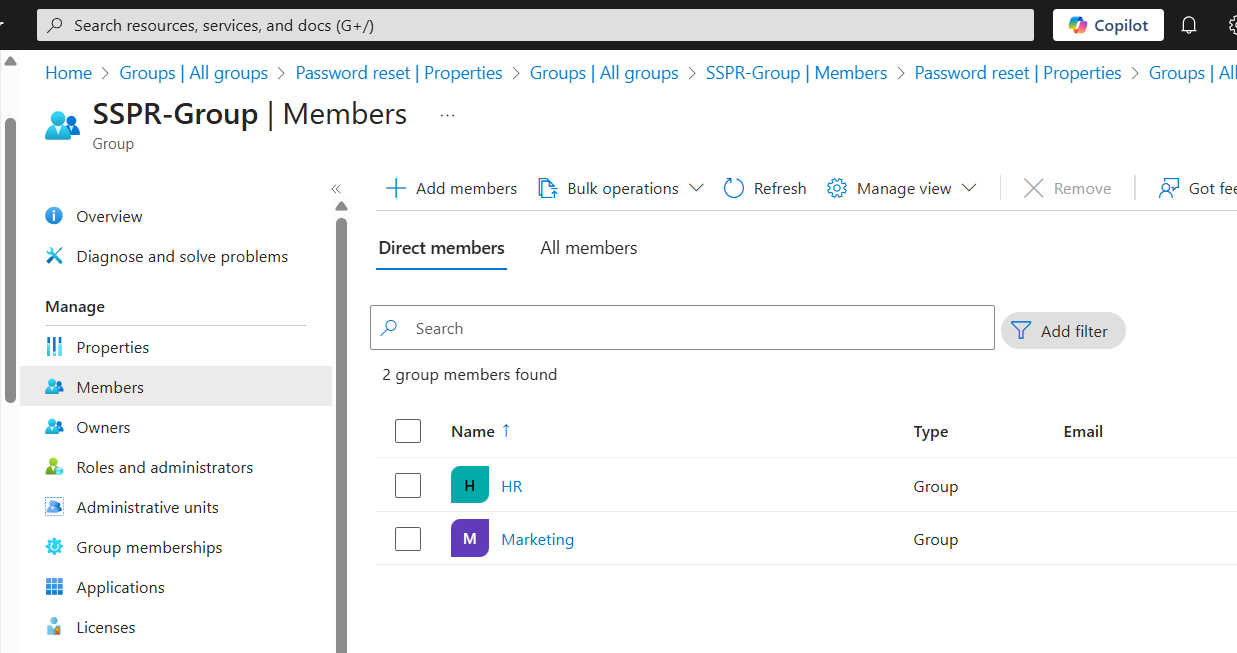
Due to the limitation in Microsoft Entra ID that restricts enabling Self-Service Password Reset (SSPR) to a single security group, a best practice is to create a master container group (SSPR-Group) and add the desired security groups (HR and Marketing) as members. This allows you to target multiple groups with one SSPR policy. The HR and Marketing groups will be used as test groups for SSPR instead of all users in the organisation allowing for rigorous testing and user feedback before a full organisational rollout.
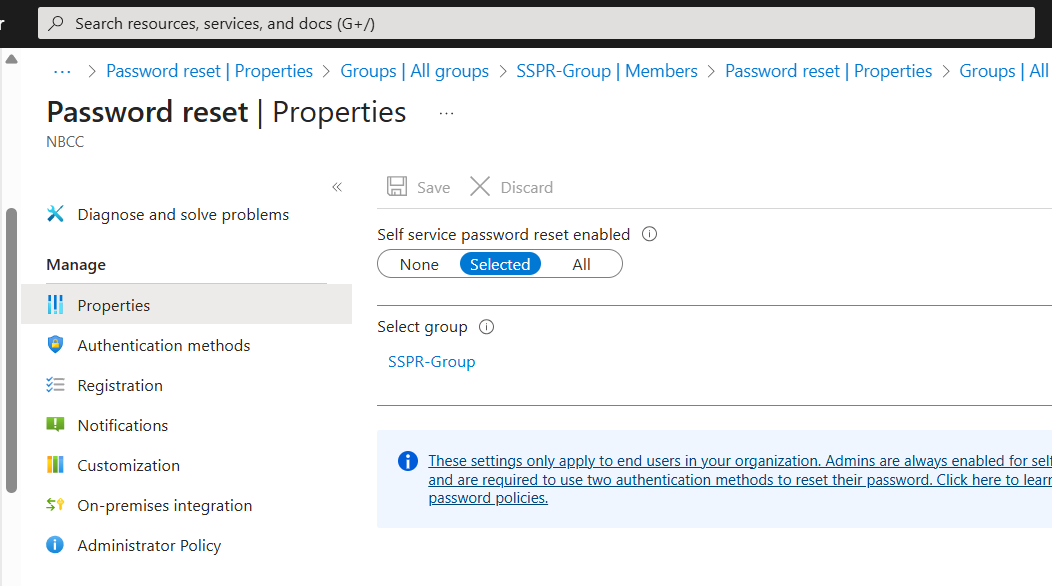
Next, enable SSPR for a selected group and choose the SSPR-Group created earlier.
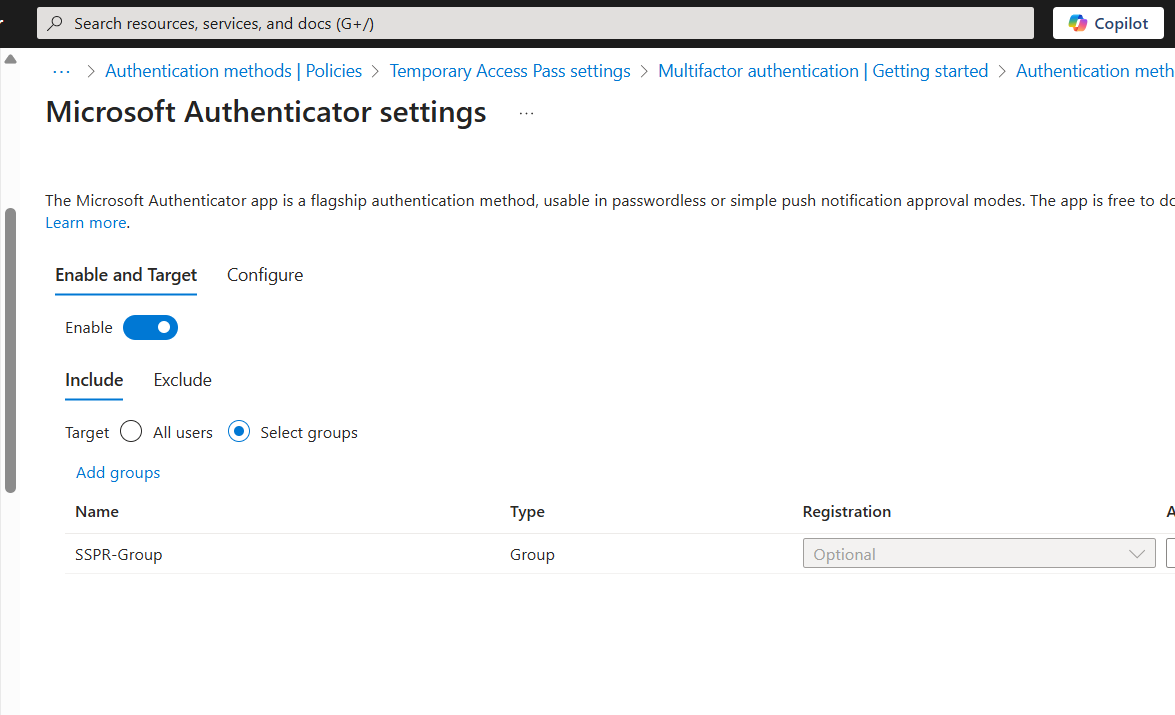
Microsoft Authenticator is enabled from Authentication methods and the SSPR group selected.
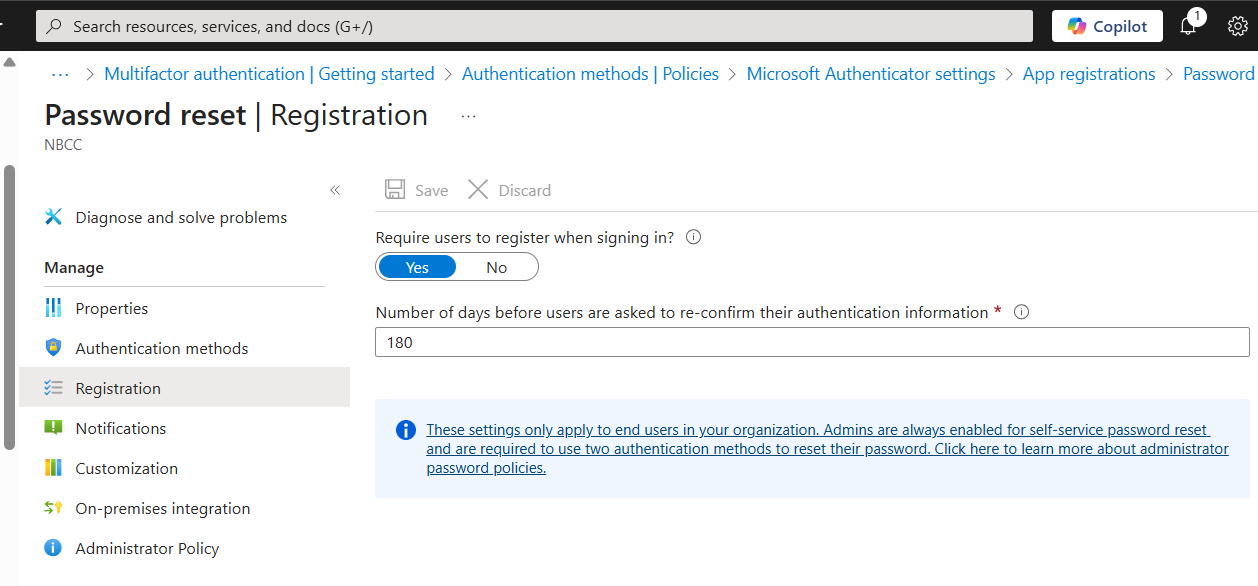
SSPR is configured to require users to register the authentication method upon their next login.
Testing of MFA and SSPR
To test the Self-Service Password Reset (SSPR) configuration, we must first ensure the test user, Chloe Holmes (a member of the HR group), has the necessary license and then verify that she is correctly prompted to set up her authentication method upon first login. Assign a Microsoft license to her in the Microsoft 365 admin center.
Next, open a private browser window and navigate to portal.office.com and login using Chloe Holmes' email and password assigned to her in Active Directory. Upon successful initial authentication, the system will immediately display a prompt requiring her to set up an authentication method using the Microsoft Authenticator.
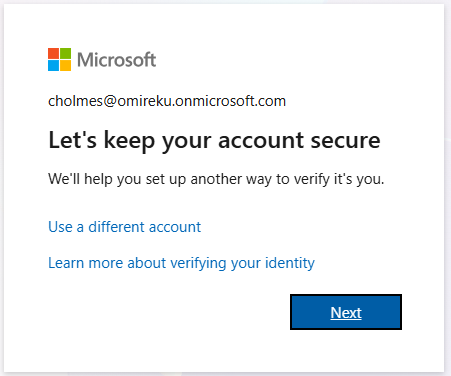
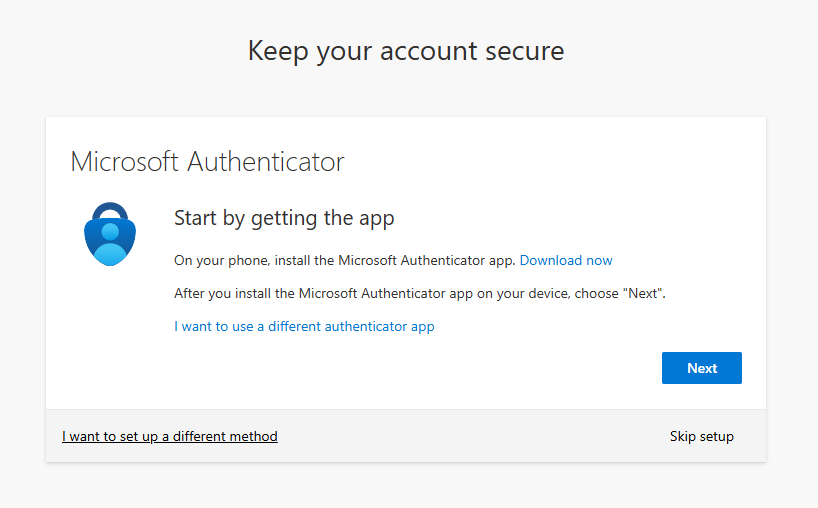
Proceed through the setup screens to setup and enable MFA using the Microsoft Authenticator.
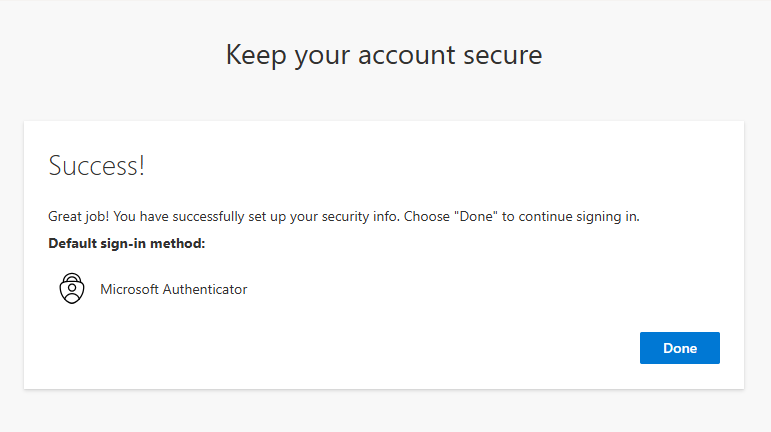
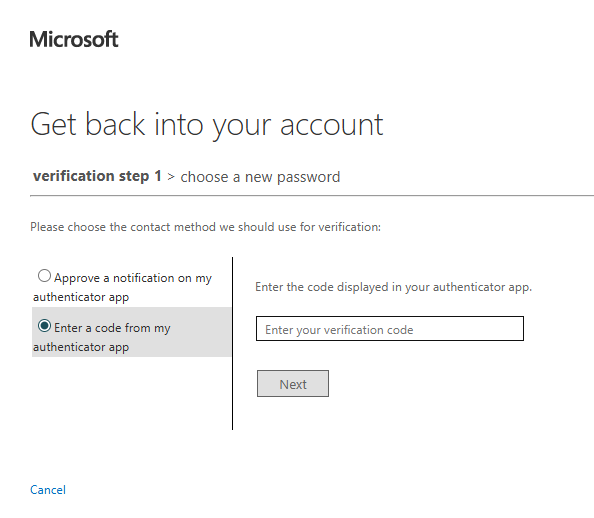
Log out Chloe Holmes from the Microsoft 365 portal and open a new private window and log back into the office portal but choose the Forgot password option on the password entry screen. You will be prompted to enter your email and the security characters (CAPTCHA) to prove you are not a robot and the system will require you to verify your identity using Microsoft Authenticator.
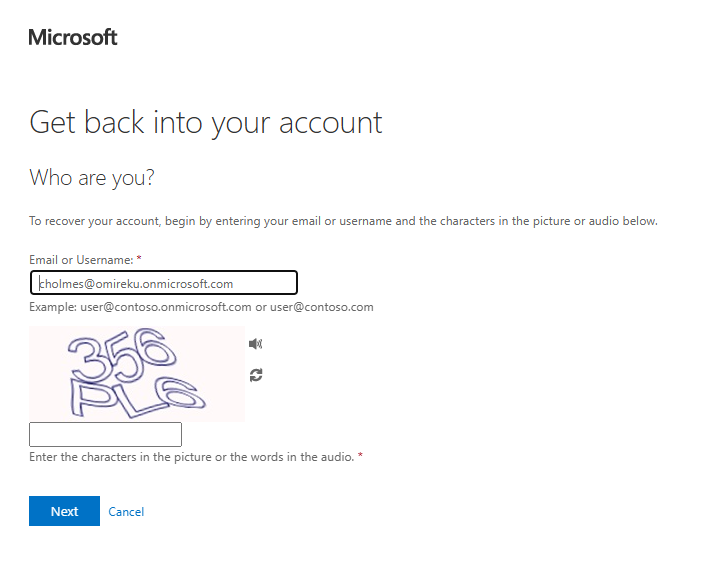
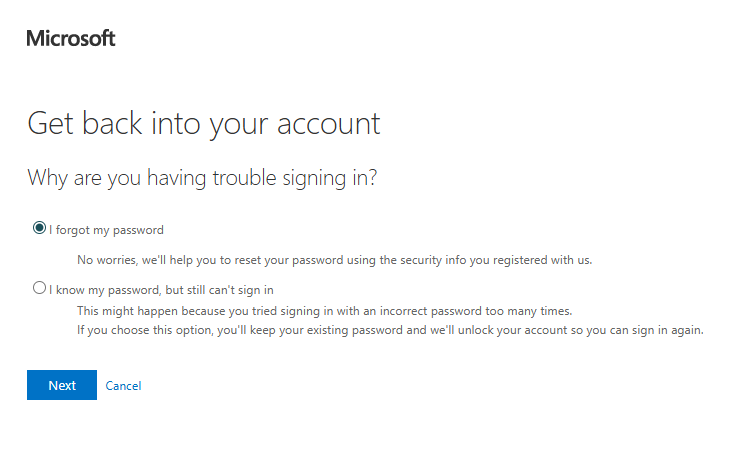
Next, choose I forgot my password option
Next, choose to either approve a notification from the authenticator app or enter a code from the authenticator app
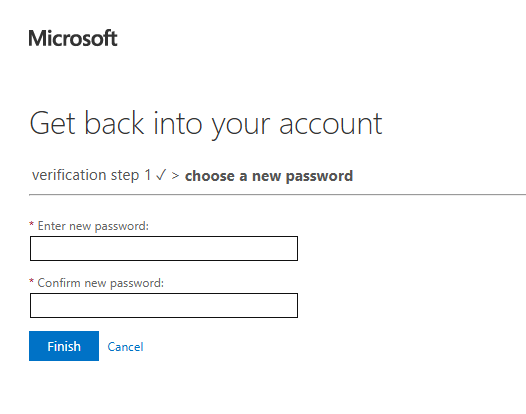
Finally, choose enter your new password and confirm new password to rest the password.
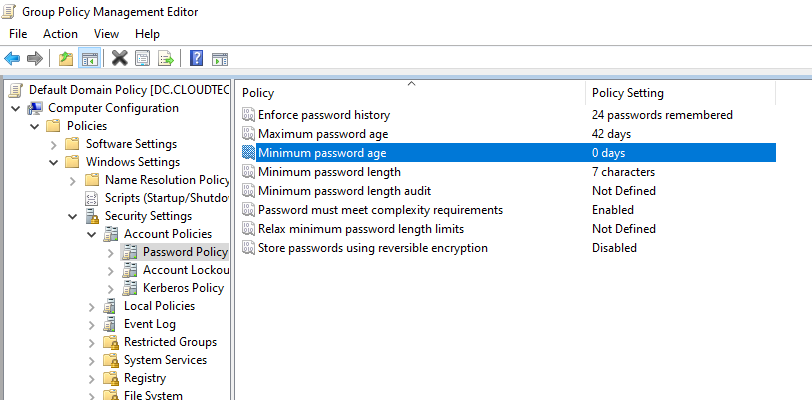
If you get an error stating "Your password does not meet the complexity requirements", especially if you change the password again within 24 hrs, it means Password policies in the on-premises AD DS environment may prevent password resets from being correctly processed. In that case, open the Default Domain Policy GPO > Computer Configuration > Policies > Windows Settings > Security Settings > Account Policies > Password Policy and change the minimum password age from 1 day to 0 days. This allows multiple SSPR attempts during the testing.
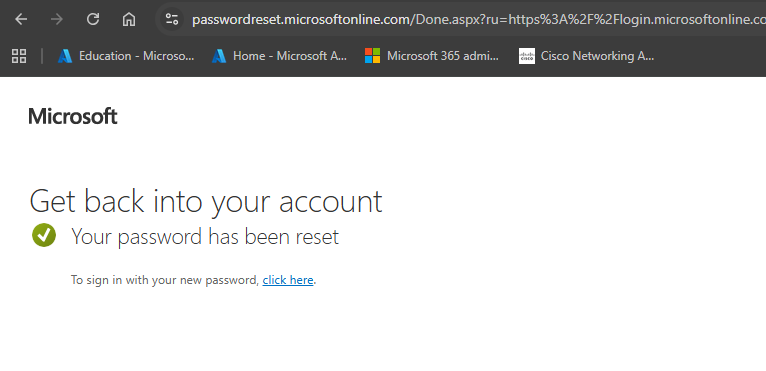
If everything goes well, the password should be reset successfully.
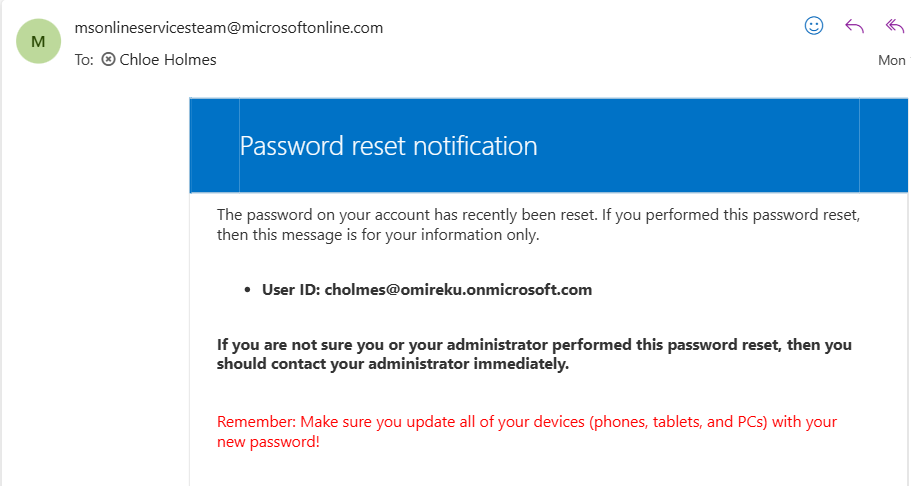
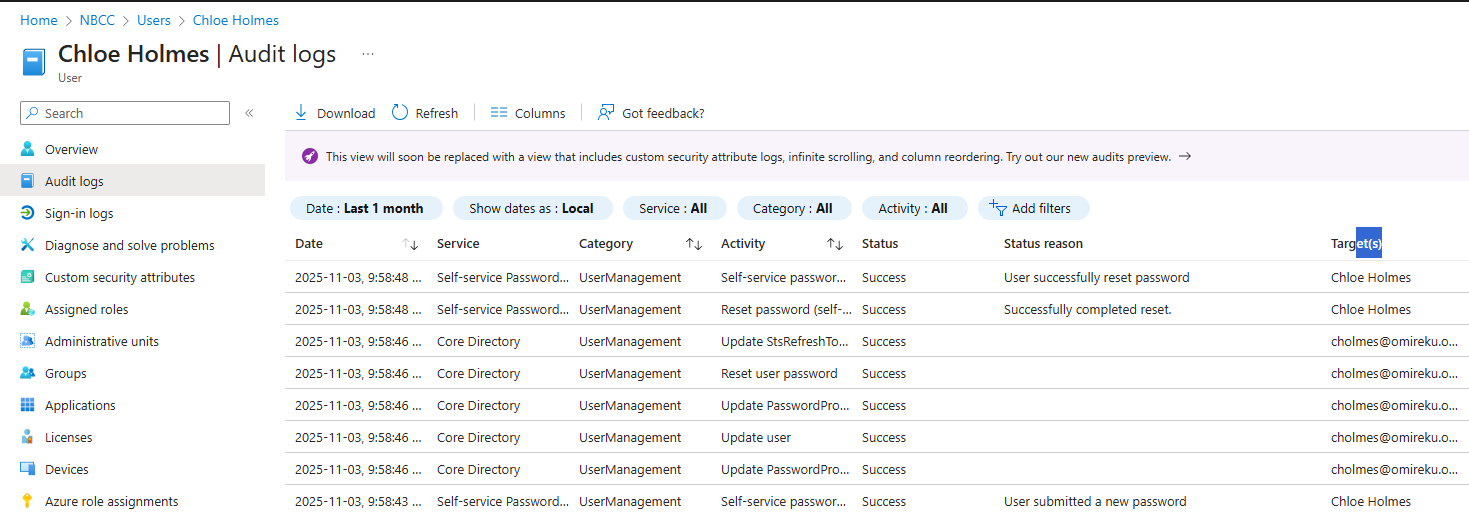
The new password immediately synchronised aacross Microsoft 365 service as well as Active Directory since password writeback was enabled.
Quantitative Results
Conclusion
The implementation of Self-Service Passwor Reset (SSPR) delivered immediate and measurable value to CloudTech. The project not only successfully hardened the organisation's identity security by enforcing Multi-Factor Authentication (MFA) at the point of greatest vulnerability (the password reset), but it also directly enhanced operational efficiency. By automating the password reset process, the IT helpdesk was able to reallocate significant time and resources from mundane password support to higher-value technical tasks, validating SSPR as a critical component of CloudTech's long-term infrastructure strategy.